The WordPress Security Checklist That Actually Works in 2026 (With Code)
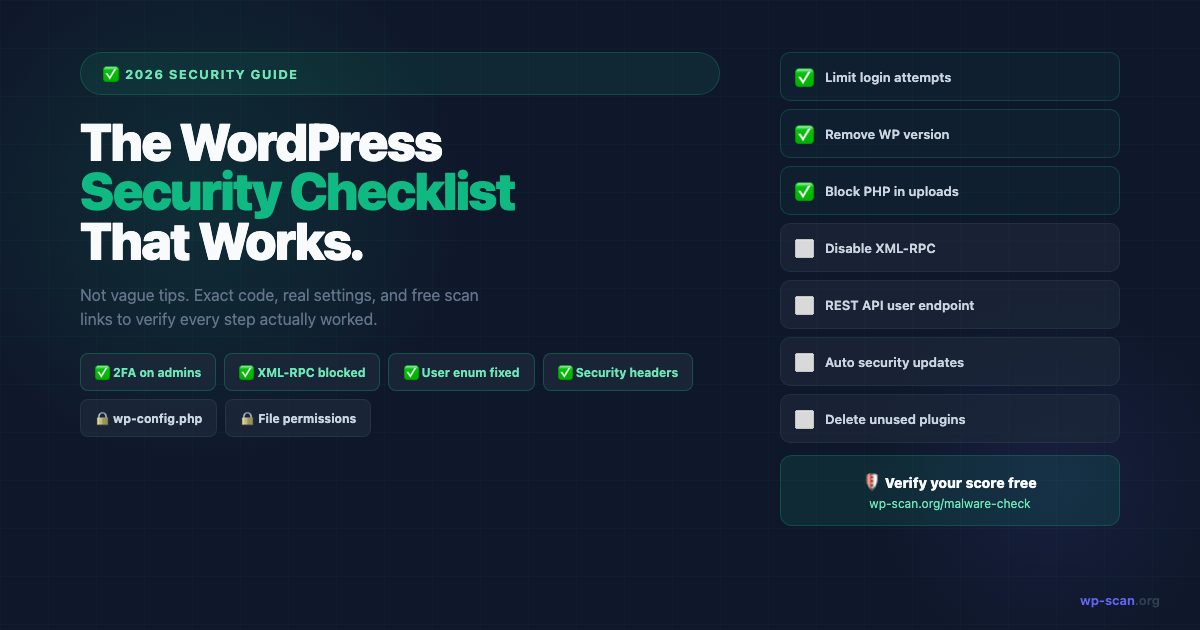
Not another vague list of "keep WordPress updated" advice. This is a hands-on 2026 security checklist with the actual code, exact settings, and free scan links to verify each step works.
Why Most Security Checklists Don't Work
Most WordPress security checklists are written by people who have never been hacked. They list things like "use a strong password" and "keep plugins updated" — advice that's technically correct but gives you no way to verify it worked.
This checklist is different. Every item has:
- •The exact action to take
- •The code or setting to implement it
- •A way to verify it's actually working
Start with the verify step at the end: run a free external scan before and after so you can see your security grade improve.
Section 1: Authentication & Access (Do These First)
✅ 1.1 — Enable 2FA on All Admin Accounts
A compromised admin password is the #1 entry point for WordPress hacks. 2FA makes brute-forced passwords useless.
Use: WP 2FA plugin (free, open source) or Google Authenticator for WordPress.
Verify: Try logging in — you should be prompted for a code after your password.
✅ 1.2 — Change Your Admin Username
If your admin account is literally named "admin", change it now. Attackers enumerate usernames (see section 4) and target "admin" first.
-- Via phpMyAdmin or direct DB access:
UPDATE wp_users SET user_login = 'your_new_username' WHERE user_login = 'admin';
Or: Create a new admin user with a different name, log in as that user, delete the old "admin" account (reassigning posts to the new user).
✅ 1.3 — Limit Login Attempts
WordPress allows unlimited password guesses by default. One filter fixes it:
// Add to functions.php or a custom plugin:
// Or use Limit Login Attempts Reloaded (free plugin)
// Server-level option via .htaccess:
<FilesMatch "^wp-login\.php$">
    Order Deny,Allow
    Deny from all
    Allow from YOUR.IP.ADDRESS.HERE
</FilesMatch>
If you work from multiple locations, use the plugin approach rather than IP restriction.
Section 2: File & Database Security
✅ 2.1 — Set Correct File Permissions
# Set correct permissions via SSH:
find /path/to/wordpress/ -type f -exec chmod 644 {} \;
find /path/to/wordpress/ -type d -exec chmod 755 {} \;
chmod 440 wp-config.php
# Or via your hosting file manager — right-click → permissions
✅ 2.2 — Harden wp-config.php
// Move wp-config.php one directory above your WordPress root
// WordPress will find it automatically
// Add these defines inside wp-config.php:
// Disable file editing in WordPress admin

define('DISALLOW_FILE_EDIT', true);
// Force SSL for admin

define('FORCE_SSL_ADMIN', true);
// Regenerate these from: https://api.wordpress.org/secret-key/1.1/salt/

define('AUTH_KEY',         'REPLACE_WITH_RANDOM_STRING');

define('SECURE_AUTH_KEY',  'REPLACE_WITH_RANDOM_STRING');

// ... etc
📖 Full wp-config.php security options: developer.wordpress.org/advanced-administration/security/hardening/
✅ 2.3 — Block PHP Execution in Uploads
Attackers upload .php files disguised as images. Block PHP execution in the uploads directory:
# /wp-content/uploads/.htaccess
<Files *.php>
    Order Deny,Allow
    Deny from all
</Files>
Section 3: XML-RPC and REST API
✅ 3.1 — Disable or Restrict XML-RPC
# Block all access to xmlrpc.php via .htaccess:
<Files xmlrpc.php>
    Order Deny,Allow
    Deny from all
</Files>
// Or selectively disable the multicall method (less disruptive):
add_filter('xmlrpc_methods', function($methods) {
unset($methods['system.multicall']);
return $methods;
});Verify: Run a scan at wp-scan.org/malware-check — the XML-RPC check will show as protected.
✅ 3.2 — Restrict REST API User Endpoint
// Block unauthenticated access to the /wp-json/wp/v2/users endpoint:
add_filter('rest_endpoints', function($endpoints) {
    if (!is_user_logged_in()) {
        unset($endpoints['/wp/v2/users']);
        unset($endpoints['/wp/v2/users/(?P<id>[\d]+)']);
    }
    return $endpoints;
});
📖 Official docs: developer.wordpress.org/rest-api/using-the-rest-api/authentication/
Section 4: Information Disclosure
✅ 4.1 — Remove WordPress Version
// functions.php:
remove_action('wp_head', 'wp_generator');
// Remove version from scripts/styles:

add_filter('style_loader_src', function($src) {

    return strpos($src,'ver=') ? remove_query_arg('ver',$src) : $src;

});

add_filter('script_loader_src', function($src) {

    return strpos($src,'ver=') ? remove_query_arg('ver',$src) : $src;

});
Also delete /readme.html and /wp-admin/install.php from your server.
✅ 4.2 — Block User Enumeration
// Block author redirect enumeration:
add_action('init', function() {
    if (!is_admin() && isset($_GET['author'])) {
        wp_redirect(home_url(), 301);
        exit;
    }
});
Verify: Visit yoursite.com/?author=1 — it should redirect to your homepage, not to /author/username/.
Section 5: Security Headers
These are configured on your server and verified by wp-scan.org/malware-check.
# Add to .htaccess (inside <IfModule mod_headers.c>):
Header always set X-Frame-Options "SAMEORIGIN"
Header always set X-Content-Type-Options "nosniff"
Header always set X-XSS-Protection "1; mode=block"
Header always set Referrer-Policy "strict-origin-when-cross-origin"
Header always set Strict-Transport-Security "max-age=31536000; includeSubDomains"
Header always set Permissions-Policy "geolocation=(), microphone=(), camera=()"
How to verify: The external scan at wp-scan.org/malware-check checks all 6 headers and gives you a specific pass/fail for each.
Section 6: Plugins and Themes
✅ 6.1 — Delete Unused Plugins and Themes
Deactivated plugins still exist as files. Files can be exploited via direct path traversal even if deactivated. Delete anything you're not using — especially default themes (Twenty Twenty-Two, Twenty Twenty-Three etc).
✅ 6.2 — Enable Automatic Security Updates
// Auto-update core (security releases only — highly recommended):
add_filter('auto_update_core', '__return_true');
// Auto-update plugins:

add_filter('auto_update_plugin', '__return_true');
// Auto-update themes:

add_filter('auto_update_theme', '__return_true');
Given the 5-hour exploitation window after disclosure, automatic updates for security releases are far less risky than manual update delays.
The Verification Scan
Once you've worked through this checklist, run a full verification scan:
Your report will show:
- •Security header grades (all 6 headers)
- •XML-RPC status
- •User enumeration status
- •WordPress version exposure
- •Dangerous file exposure
- •SSL/HTTPS status
A site that has completed this checklist should score A or A+. If you're still seeing issues, the scan report will tell you exactly what's left.
Quick Reference
| Item | Priority | Verify With |
|---|---|---|
| 2FA on all admins | 🔴 Critical | Login test |
| Limit login attempts | 🔴 Critical | External scan |
| wp-config.php hardening | 🔴 Critical | File check |
| Block PHP in uploads | 🔴 Critical | External scan |
| XML-RPC disabled | 🟠 High | External scan |
| Remove WP version | 🟠 High | External scan |
| Block user enumeration | 🟠 High | External scan |
| Security headers | 🟠 High | External scan |
| Delete unused plugins/themes | 🟡 Medium | Admin review |
| Auto-updates enabled | 🟡 Medium | Settings check |
Free external scan — 22 checks, instant report. No plugin, no account.
Run Free Scan → wp-scan.org/malware-checkAuditing a theme or plugin before you install it? Scan the ZIP source code instead →
Builder of wp-scan.org — a free external WordPress malware scanner trusted by thousands of site owners. With 9+ years building and securing WordPress products, Rajan writes practical security guides based on real attack patterns he's encountered. You can find more of his work at rajangupta.com.
📬 Enjoyed this article?
Get the next one in your inbox — free WordPress security guides, weekly.